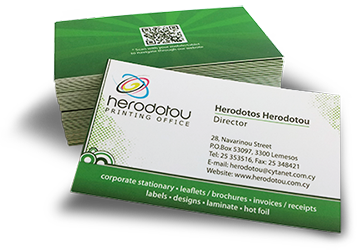
Safety Margins
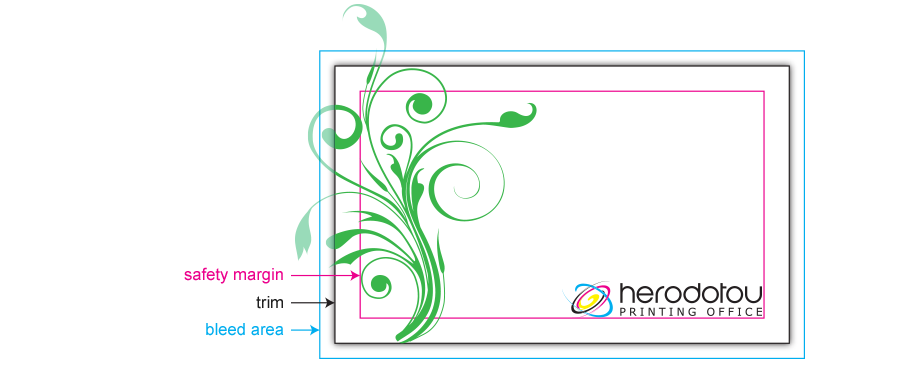
When you design a business card, leaflet etc. for printed purpose you should add a safety margin to the edges of your document to avoid having your objects look as if they are about to fall of the page or even worse actually get cropped off when the document is trimmed! The amount of margin is personal preference, but 3mm, 5mm or 10mm is usually used depending on the size of the overall design.
Trim
Trim lines are the finished size of the document. The document is cut close to the trim line, but because of the mechanical tolerances involved in printing, the actual cut can happen anywhere between the bleeds and the safe margin. This is why it is important to keep your text and important images within the safe margin.
Bleed
Bleed is the area of artwork that is extended beyond the actual dimensions of the document. It is used to avoid strips of white paper showing on the edges of your document when cut to size.
Any objects in your artwork that touch the edges of the document require bleed, for instance a background colour or image should spread to cover the entire bleed area as should any objects that creep in from the side of the page.
We require at least 3mm of bleed. This 3mm accounts for each of the four sides of the page, therefore you should add 6mm to the width and height of the document.
Colors
CMYK (Cyan, Magenta, Yellow and Black) are colors used in the printing process, whereas RGB (Red, Green and Blue) are colors used by screen displays, such as your monitor.
All artwork should be CMYK, Pantone Spot, or Greyscale. This ensures the colors you see on the screen most closely match the final printed product. If you create your document in RGB, the colors in your printed product may vary slightly. Many of the bright values produced by your monitor cannot be reproduced in print.
RGB, Index, or Duotone should be avoided.
Avoid more than 300% total ink density. Too much ink can cause appearance issues, such as muddy colors or ink puddling.
File Types
The file types that we accept are Illustrator files (.ai), Photoshop files (.psd), InDesign files (.indd), Pdf files, Eps files and high resolution - 300dpi images (.jpg and .tiff).
Fonts
Text should converted to curves (outlines). This will fix upload errors that result when fonts are not embedded in your file.